Screenshots



Description
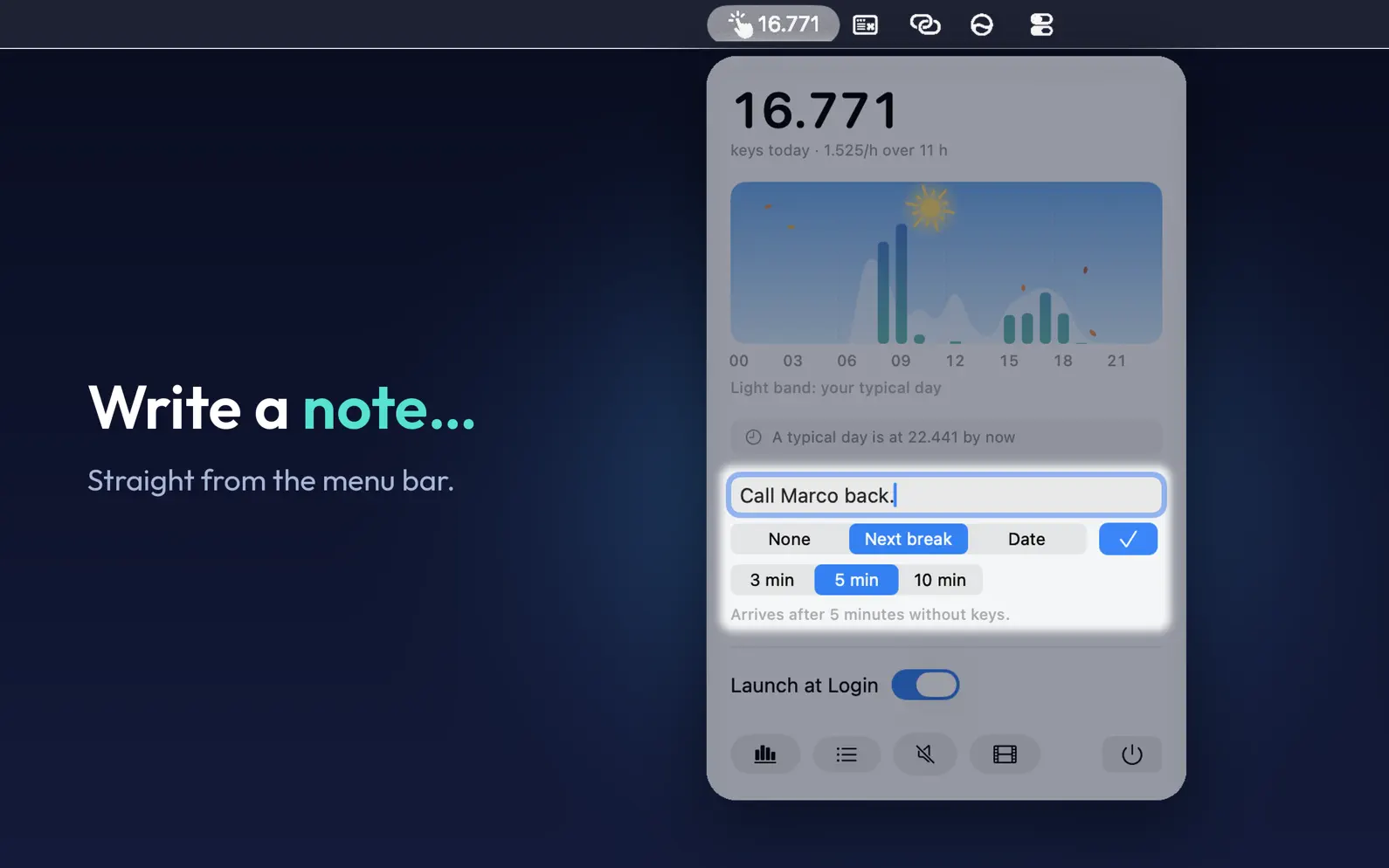
Key Press Counter sits in your menu bar and counts the keys you press, hour by hour: never which keys, which app or what you write, only how many and when. Because it knows when you're typing and when you stop, it can hold a reminder until your next break, play rain that rises and falls with your keys, and draw your day at the keyboard under a sky that follows the clock. NOTES THAT WAIT FOR YOUR BREAK Something comes to mind while you're busy? Write it down in a second, right from the menu bar. Keep it as a note, or choose when to be reminded: at a day and time, or at your next break. A break reminder arrives after 3, 5 or 10 minutes away from the keyboard, so it never interrupts you mid-sentence. All your notes are together in one place, easy to search. RAIN AND WIND AS YOU TYPE Turn on Rain or Wind and a soft sound keeps you company while you write. It isn't a recording: it's created as you go, growing as you type, softening when you pause and fading out when you leave. The sky in the app rains, snows or blows along with it. YOUR DAY, HOUR BY HOUR Click the number in the menu bar to see today hour by hour, next to a typical day of yours. Open Statistics for more: - What time you started and stopped typing - Your busiest hour, today and on a typical day - The hours without typing, and your longest run of typing hours in a row - How much of the day happened in its two busiest hours - Where a typical day of yours is at this time - Your last 7 and 30 days, and weekdays compared with weekends No goals, no scores, no streaks. The app never tells you to type more. It shows how your day went and leaves the rest to you. A SKY THAT FOLLOWS THE CLOCK Behind your day, the sky changes with the time: sunrise, the sun crossing the sky, sunset, the moon in its real phase, the season, and now and then a shooting star. It never asks where you are. SHARE YOUR DAY Turn today into a 5-second video and share it. PRIVATE BY DESIGN Key Press Counter only counts. It never knows what you type, it never connects to the internet and it needs no account. Keys typed in password fields aren't counted at all. Your numbers and your notes stay on your Mac. LIGHT AND QUIET No icon in the Dock, no window left open: just a number in your menu bar. Questions or ideas: support@createbycoding.it
Release Notes
The biggest update yet: notes, reminders that wait for your break, rain as you type and a sky that comes alive. - Notes and reminders: jot something down in a second, right from the menu bar, and be reminded at a day and time or at your next break. - Reminders that never interrupt: they arrive after 3, 5 or 10 minutes away from the keyboard, never mid-sentence. - Rain and Wind: a soft sound created live, growing as you type and fading when you stop. - A sky that follows the clock: sunrise, sunset, tonight's real moon, the seasons and the odd shooting star. - Your day in 5 seconds: turn it into a short video and share it. Enjoy it!
• v1.5.0All release notes
App Details
| Size | 1.4 MB |
|---|---|
| Initial release | |
| Price | $3.99 |
| Platforms | Mac |
| Languages | English |
| Category | Utilities |
| Website | keypresscounter.com |
| Compatibility | |
|---|---|
| Mac | Requires macOS 15.6 or later. |
Similar Apps
KeepCount: Tally Counter
Click Counter: Reps & Scores

Keystroke Pro
Visualize Your Keypresses
Screen Time - Break Check
Habit Timers, No App Blocking
Lognote: Notes & Notepad
Timestamped Daily Journal

Practical: Calendar Menu Bar
Change events by typing

Deadline Bar: Due Date Tracker
Menu bar countdowns & focus
App's data is regularly updated.
Last update: