Screenshots




Description
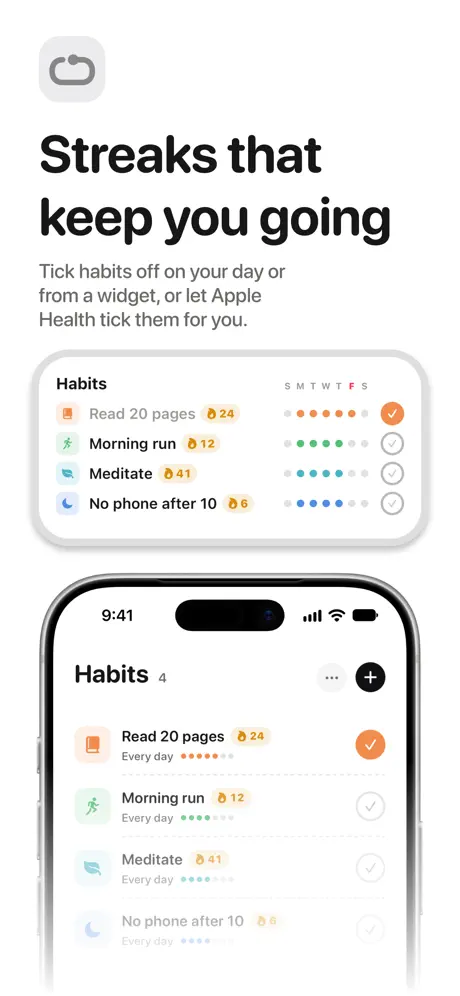
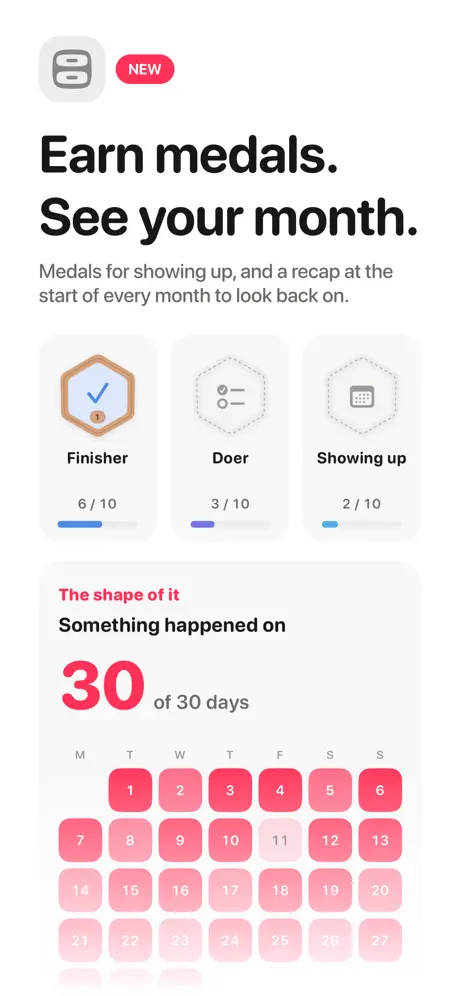
Not someday. ThisDay. Most planners hand you a backlog. ThisDay hands you a day. Every task, note, voice memo, event and habit lands on a real date; not in a someday pile you scroll past for months. Open the app and there is one thing in front of you: today, in the order it happens. ONE DAY, EVERY KIND OF THING Tasks, events, notes, voice memos, photos and habits share one list, because they share one day. A habit at 10:00 sits between the 9:00 task and the 11:00 meeting, where it belongs. Same row, same swipe, same checkbox, whatever kind of thing it is. Your own calendars appear inline too, at the hour they happen, so a morning with a meeting in it never looks free. EVERYTHING CAN REMIND YOU Record a voice memo and put a reminder on it. Write a note and have it find you at 6pm. Your phone can already take a voice memo, it just can't tell you about it later. ThisDay can. HABITS THAT TICK THEMSELVES Point a habit at Apple Health and stop reporting on yourself. Steps, exercise minutes, active energy, sleep, the Watch's three rings, and workouts from running to yoga. Set the number you're aiming at; ThisDay watches for it and fills the ring as your day fills it. ThisDay only reads Health, never writes to it, and only the measurement each habit names. Nothing leaves your device. And a habit is never marked done because a sensor said so and you disagreed. No reading is ever "done"; if your watch was on the charger, the tick is still yours to make. Your tick always wins. APPLE REMINDERS, BOTH WAYS The Reminders lists you choose show up in your day, next to everything else, read-only: ThisDay never edits somebody else's row. And when you ask for it, the other direction. Tasks you make here are written back out as reminders, so they reach Siri, a Mac that doesn't run ThisDay, and anyone you share a list with. Switching it off takes the copies back out. NOTHING GETS BURIED Unfinished work follows you to today instead of quietly aging on a date you've already passed. Completed things can leave the list or stay in a folded section, your call. ONE RULER, FROM A DAY TO THE YEAR Slide the ruler at the top of your day out to a few days, the week, the month or the whole year, and tap any day to come back into it. The + is always one thumb away. ALSO IN HERE • Quick capture for every kind of item • Reminders, repeats and rollover • Categories, priorities and links • SiriAI: ask about your plans, answered on your device (Apple Intelligence) • A Library for notes, voice notes, pictures, places and countdowns • An inbox for anything without a day yet • Monthly recaps and medals you can share • Widgets, Live Activities and an Apple Watch app • Shortcuts and Siri • Twelve languages, every screen in each one • Light and dark, and an accent you choose • Your day on iPhone, iPad, iPhone Duo and Mac BUILT BY ONE PERSON There is no account and no sign-up, because there is no server to sign up to. No analytics, no tracking, and nothing sold to anyone; your day never leaves your device. Something broken or missing? Write to hello@akilastudio.com and you'll get a reply from the person who made it. FREE FOR TASKS, ONE PRICE FOR THE REST ThisDay is free for 21 days with everything included; no card up front and nothing to cancel. After that, tasks and repeats stay free for good. ThisDay Pro opens everything else with one payment. No subscription, no renewal. ThisDay is on the Mac too, in this same App Store listing, with its own one-time unlock. If you bought ThisDay on iPhone, the Mac costs less.
Release Notes
This update lets you add to ThisDay without opening it, and helps all your devices show the same calendars. • Quick add saves a task without opening the app, from Siri, the Action button or a Shortcut. Pick Simple or Detailed in Settings › Tasks. • If your other devices show calendars this one can't, ThisDay tells you which and helps you connect them. • Tight spacing now works with Compact cards. • No more short pause just after the app opens. • Categories in Shortcuts show their own icon and colour.
• v3.0.2All release notes
App Details
| Size | 60.8 MB |
|---|---|
| Initial release | |
| Price | |
| Platforms | Mac, Apple Watch, iPhone, and iPad |
| Languages | English, French, German, Italian, Japanese, Korean, Polish, Portuguese, and 4 more |
| Category | Productivity |
| Website | this-day.app |
| Compatibility | |
|---|---|
| iPhone | Requires iOS 18.0 or later. |
| iPad | Requires iPadOS 18.0 or later. |
| Mac | Requires macOS 15.0 or later. |
| Apple Watch | Requires watchOS 11.0 or later. |
Similar Apps
Daybearing - Time Blocking
Visual task timer, day planner

Tasks: To Do Lists & Reminders
Kanban Board, Planner & Widget
MyDayWidget - Calendar Widgets
Reminder & Lock Screen Planner

Deadline Bar: Due Date Tracker
Menu bar countdowns & focus
Daylish - Visual Schedule
Appointment Reminder Alarm App

Solarday: Plan Days Better
Simple Focus, Calm Progress
App's data is regularly updated.
Last update: