Screenshots
Description
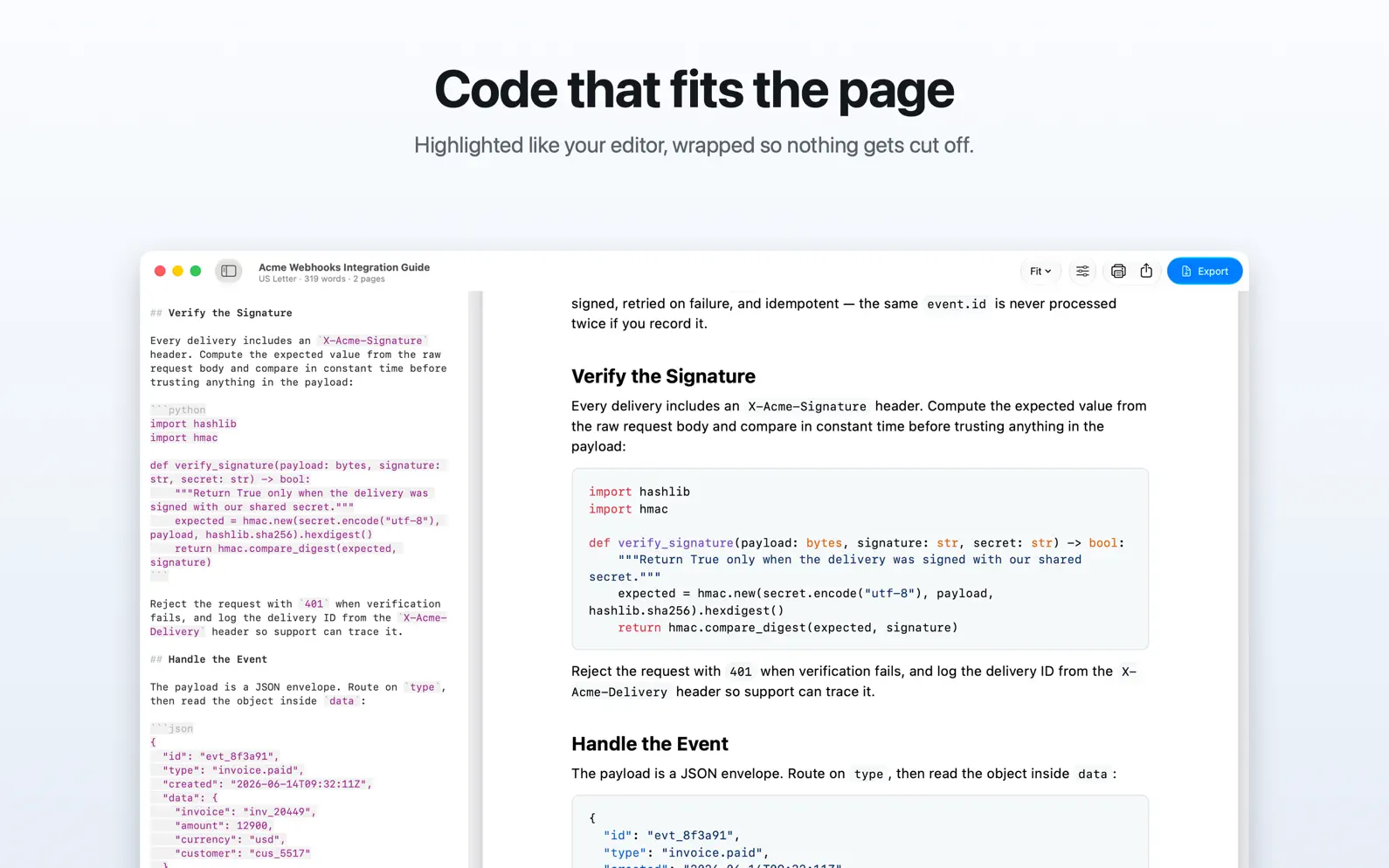
Write or paste Markdown — a ChatGPT or Claude answer, your notes, a whole thesis — and export a clean, print-ready PDF with smart page breaks and working links. Or export to Word and continue working on it there or in Pages. TURN AI ANSWERS INTO REAL DOCUMENTS Paste from ChatGPT, Claude, or anywhere else Markdown comes from, and get a tidy PDF you can print, send, or file. A SERIF THEME FOR FORMAL WORK Choose between the crisp sans-serif Clean and the formal Report theme per document, along with page size, margins, and page numbers. MDash remembers your choices for every file. WHAT YOU SEE IS WHAT PRINTS The preview shows the actual pages of your PDF, not an approximation. Page count, margins, breaks — all real, and live as you type. SMART PAGE BREAKS Headings stay with their text, tables break between rows, and a line is never cut in half. No setup needed — it's on from your very first export. And when you want a break in a particular place, insert one anywhere. TABLE OF CONTENTS Add a table of contents page at the beginning of your document, automatically built from your headings and numbered to match the printed pages. Every entry is a link that works both in the preview and in the exported PDF. LINKS STAY CLICKABLE Web links work, and section links jump to the right page. CODE THAT FITS THE PAGE Code blocks export syntax-highlighted and wrapped, so long lines never get cut off. Tables stay inside the page too. EXPORT TO WORD Continue working on your document in Word or Pages. You get real headings, lists and tables, links that still work, and the page size and margins you chose. The file opens in Google Docs too. Each app lays out its own pages, so use PDF when you want the exported document to match the preview. YOUR DOCUMENTS STAY YOURS Your documents aren't locked inside MDash. They're ordinary text files that any Markdown app can open. No special format, no converting, works everywhere. A PROPER MAC APP Native through and through: keyboard shortcuts, spell check, find, drag and drop, and a built-in Markdown reference if you're new to it. Runs natively on Apple silicon and Intel Macs. Your writing stays on your Mac — no account, nothing uploaded. PRICING Download free and try everything for 7 days. Unlock with a single one-time purchase, or an annual plan that starts with the free trial. Purchases go through the App Store and work on all your Macs. Questions, ideas, or a document that didn't come out perfect? We read everything: hello@usemdash.com Terms of Use: https://www.apple.com/legal/internet-services/itunes/dev/stdeula/ Privacy Policy: https://usemdash.com/privacy
Release Notes
App Details
| Size | 2.7 MB |
|---|---|
| Initial release | |
| Price | |
| Platforms | Mac |
| Languages | English |
| Category | Productivity |
| Website | usemdash.com |
| Compatibility | |
|---|---|
| Mac | Requires macOS 15.0 or later. |
More By This Developer
Similar Apps
App's data is regularly updated.
Last update: