Screenshots
Description
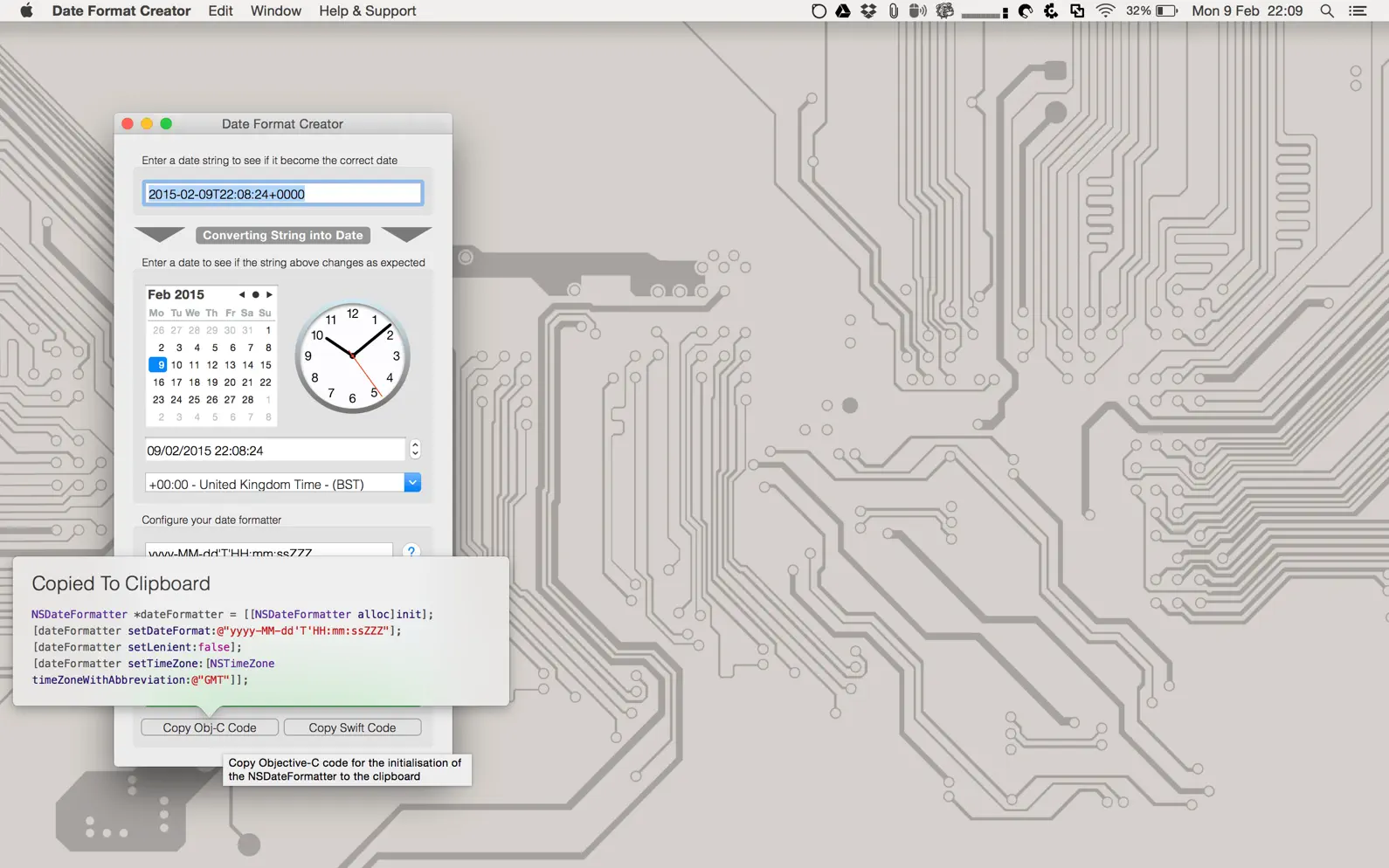
If you’re a developer, you’ll know that working with dates can be difficult. Try to do anything reasonably complex with dates, and before long you’ll be imagining a perfect world where countries stop shifting their clocks backward and forward in a quest for more daylight, every month has the same number of days, time zones are abolished, and there are 10 hours in a day, and so on. Date Format Creator aims to make working with dates a little easier by giving you a date formatter to test and experiment with. Enter your UTS date format, choose a date, and see how an NSDateFormatter would convert it into a string. Enter a date as a string and see if it’s valid and becomes the date you expect. Once you’re happy that your format is correct, you can export the Objective-C or Swift code to initialize an NSDateFormatter to your specifications. Stop wasting time wondering why your dates aren’t being parsed and start using Date Format Creator. For the latest news, updates, and promotions, follow me on Twitter @MarkBridgesApps
Release Notes
App Details
| Size | 1.7 MB |
|---|---|
| Initial release | |
| Price | $1.99 |
| Platforms | Mac |
| Languages | English |
| Category | Developer Tools |
| Website | bridgetech.io/Date%20Format%20Creator.html |
| Compatibility | |
|---|---|
| Mac | Requires macOS 13.0 or later. |
More By This Developer
Similar Apps
App's data is regularly updated.
Last update: